The Wi-Fi Will Die: A 2026 Guide to Software That Keeps Working Offline

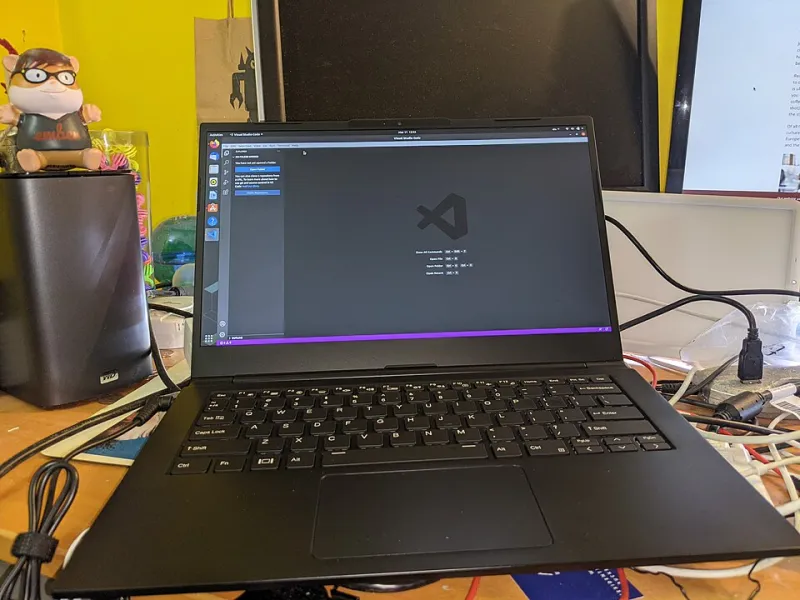
Photo: Wilfredor, CC0, via Wikimedia Commons
The outage never arrives at a convenient time. It happens on the flight where you planned to write the whole proposal, in the rental with the router from 2011, or during the two-hour window when the only person who can approve your invoice is unreachable and you have exactly one bar of signal.
Most modern software assumes the cloud is a constant. A smaller, stubborn set of apps assumes the opposite: that the connection is a bonus, not a precondition. That distinction is worth understanding before you need it.
What offline-first actually means
There are roughly three tiers, and vendors blur them constantly.
Local-first. Your data lives on your device as the primary copy. The cloud is a courier. Obsidian, Joplin, Standard Notes, Things 3, and Syncthing setups live here. Lose the internet and you lose nothing but syncing.
Cached offline. The app keeps a local snapshot of what you have already opened. Todoist, TickTick, and most mobile task managers work this way. You can read a lot, edit some, and the app queues your changes. Anything you have never loaded may simply not be there.
Online with a friendly error. Notion, most browser-first project tools, and plenty of CRM dashboards fall here. Some now offer limited offline views, but check the fine print before you plan a workday around it.
Notes and writing
Obsidian is the strongest offline-first writing environment for people who think in files. Your vault is a folder of plain Markdown on your own disk. Nothing requires a login. The sync problem is yours to solve, and that is genuinely the trade-off: you can use their paid sync, or iCloud, or a Git repo, and each has its own personality.
Joplin is the pragmatic open-source alternative, with built-in sync to Dropbox, OneDrive, or your own server, plus encrypted notes and a proper mobile app. Standard Notes leans hard on encryption and long-term readability. Apple Notes is quietly excellent offline on Apple hardware and essentially unavailable outside it, which is a decision you make once.
Where they differ is conflict handling. When two devices edit the same note offline, Joplin creates a visible conflict copy rather than silently choosing a winner. That is the correct behavior. Silent merging is how paragraphs disappear.
Tasks and project management
Things 3 is fully local, syncs through your own iCloud account, and behaves identically in a basement. Todoist caches aggressively and queues offline changes, which covers most travel scenarios, though a fresh install on a plane will not have your projects yet. TickTick is similar.
For team project management, honesty is required: almost none of the polished boards work well offline. Linear, Asana, and Trello all degrade to some degree without a connection, and the degradation is not always communicated clearly. If you manage a team, the offline plan is not an app — it is a shared document exported to PDF and a phone number.
Files and sync
Syncthing remains the best answer for people who want device-to-device sync with no company in the middle. It is not user friendly in the way a consumer app is friendly, but it does one thing beautifully: it keeps folders identical across machines, and it writes conflict files rather than overwriting your work.
Dropbox and Google Drive both support offline folders, and both require you to designate them in advance. Designating in advance is the whole trick. An app that offers offline access to files you remembered to mark is only as good as your memory on a Thursday.
For anything text-based, a local Git repository with Working Copy on mobile gives you version history that survives everything, including your own mistakes.
Communication
Signal queues messages and delivers them when signal returns, which is the behavior you want and rarely think about. iMessage does something similar between Apple devices. Email is the most reliable offline channel of all if you use a client that stores mail locally, like Thunderbird, or the Mail apps that cache full mailboxes.
What does not work offline: anything with a live shared cursor, most video calls beyond pre-joined audio, and any product whose login flow requires a server round-trip. That last one is the sneaky one. An app can have all your data locally and still lock you out because it cannot validate a session.
How conflicts get resolved
This is the part worth testing before you trust a tool. Three patterns exist.
Duplicate-file conflict: Syncthing and Obsidian both leave a second file with a timestamped name. Messy, safe, and obvious.
Conflict note: Joplin and several wiki tools create a separate page showing both versions side by side. Slightly cluttered, entirely recoverable.
Last-write-wins: the app picks one version and discards the other. Fast, invisible, and occasionally catastrophic. Ask any vendor which pattern they use. If the answer is vague, assume last-write-wins.
Where the cloud is still doing real work
Offline-first does not mean cloud-free. Shared calendars still need a server to send invites. Encrypted sync needs somewhere to store ciphertext. Team permissions, billing, and anything with a shared audit trail are inherently online problems. The goal is not purity; it is knowing which parts of your day survive a dead router.
A small outage kit
Keep a local folder with your three most important documents exported, offline access pre-enabled in your file sync tool, a task app that has opened your current project at least once, and the phone number of the one person who can unblock you. None of it is exciting. All of it works when the bar drops to one.