Unbox, Breathe, Configure: Your First-Hour Checklist for a Brand-New Computer
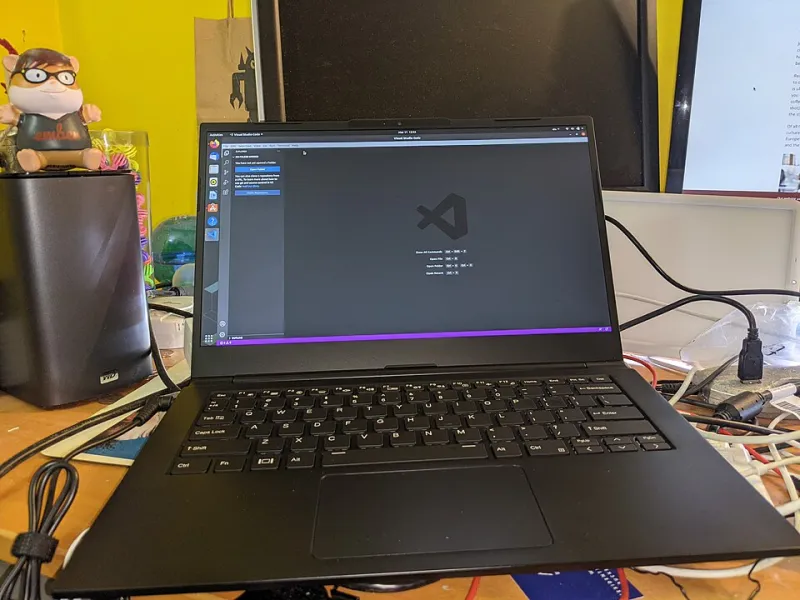
Photo: Ian Irving from Toronto, Canada, CC BY 2.0, via Wikimedia Commons
There's nothing like the smell of a new laptop box. There's also nothing like the slow dread of realizing you have no idea what to install first. Most people either install nothing (and live with a vulnerable, bare machine) or install everything (and end up with a toolbar-infested mess by dinner). Here's the middle path: ten categories, in priority order, with picks for each.
1. A Browser (Before Anything Else)
Even on Windows, Edge is fine — but fine isn't the point. Install your browser of choice first because everything else you do, including downloading other software, happens through it. Chrome, Firefox, or Brave are all solid. Sign in and sync your bookmarks and passwords immediately.
2. A Password Manager
If you're still reusing passwords, a new computer is the cleanest possible moment to stop. Bitwarden is the best free option for most people — open source, cross-platform, and genuinely free without dark patterns. 1Password is the polished paid alternative at about $3/month. Either way, this should be installed before you log into anything else.
3. Backup Software
Unsexy, essential, and the thing everyone regrets skipping. On Mac, Time Machine plus an external drive is genuinely great and already built in. On Windows, set up OneDrive folder backup (built in) or go with Backblaze for about $9/month for full-system cloud backup. The rule: two copies of anything you'd cry about losing.
4. Antivirus — Maybe
Here's a controversial take: you probably don't need to buy antivirus anymore. Windows Defender has been genuinely good for years, and macOS's built-in Gatekeeper and XProtect handle most threats. Save your money unless you have specific needs — like a business machine handling sensitive client data, in which case something like Bitdefender is worth it. Skip anything that came pre-installed with popup ads.
5. A Media Player
VLC. That's the whole recommendation. It plays everything, it's free, and it's been quietly doing this job since before most streaming services existed.
6. An Uninstaller
New PCs — especially Windows laptops from big brands — arrive stuffed with trial software you'll never use. Revo Uninstaller (free version is fine) removes programs and their leftover registry gunk. On Mac, AppCleaner does the same for free. Spend twenty minutes purging bloatware on day one; your machine will thank you.
7. An Office Suite
Don't buy Microsoft Office out of reflex. If you need Word and Excel for real work, Microsoft 365 is worth it. If you don't, LibreOffice is completely free and handles 95% of what people do, and Google Docs covers the collaborative stuff. Decide based on what you actually do, not what a big box store employee upsold you.
8. A Note-Taking or Task App
Every computer needs a place to put thoughts. Options range from Microsoft To Do (free, simple) to Obsidian (free, powerful, local-first) to Notion (free, all-in-one). Pick one and resist the urge to try all twelve.
9. System Utilities That Earn Their Keep
On Windows: PowerToys, Microsoft's free utility collection, adds genuinely useful features like window snapping and a better file search. On Mac: something like Rectangle for window management. One or two utilities, maximum — this is where people start hoarding apps that conflict with each other.
10. A Cloud Storage Decision
You need one, not five. Pick your ecosystem — OneDrive, Google Drive, Dropbox, iCloud — and commit. Having files scattered across four services is how documents get lost.
What to Skip Entirely
- Registry cleaners. They're placebo software at best and scamware at worst.
- Driver updater tools. Windows Update and your manufacturer's site cover this.
- McAfee/Norton trials that came pre-installed. Uninstall them; Defender is free and better than the nag screens.
- 'PC optimizer' anything. If a program promises to make your computer faster with one click, it's making your computer faster at taking your money.
One hour of setup, maybe two, and your new machine goes from factory-fresh to genuinely yours. Do it before the boxes are recycled — future you is counting on it.