They Took Away the Feature You Loved — Here's Why That Keeps Happening

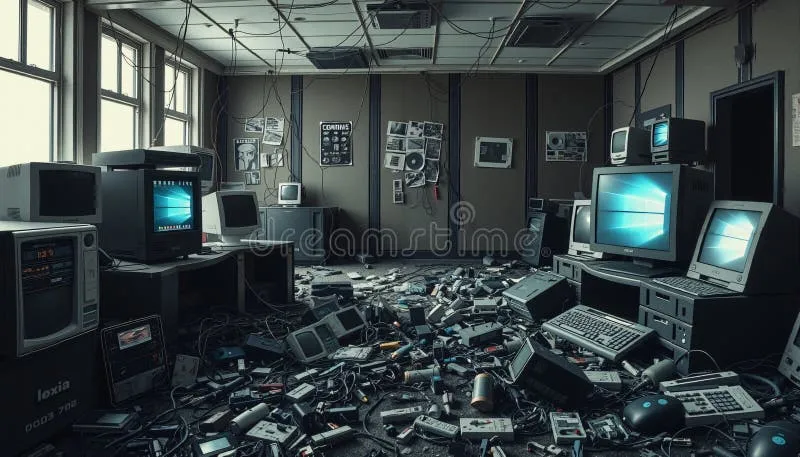
Photo: Jan Vašek, CC0, via Wikimedia Commons
You open your laptop on a Monday morning, coffee in hand, ready to knock out the same workflow you've run a hundred times. Then you notice it. The button is gone. The menu option has vanished. A little banner tells you the feature was "retired" — sometimes with a link to a help article that basically says sorry, not sorry. Sound familiar?
This isn't a rare glitch. It's a pattern. And if you've spent any real time with productivity software, creative tools, or business platforms, you've probably been burned by it more than once. Feature deprecation — the industry's polite word for killing off functionality — has become one of the most frustrating realities of relying on software you don't own.
So why does it keep happening? And more importantly, what can you actually do about it?
The Business Logic Behind Killing Features You Love
Here's the uncomfortable truth: most feature removals make perfect sense from the company's perspective, even when they feel completely tone-deaf to users.
Product teams are under constant pressure to streamline. Every feature a company maintains costs money — engineering hours, server resources, QA cycles, documentation updates. When a feature is used by, say, 4% of the user base, the math starts looking brutal. Even if those 4% are loud, loyal, and genuinely dependent on that tool, they don't always move the needle on the metrics that matter to investors or executives.
There's also the platform pivot problem. Companies change direction. A tool that started as a scrappy project manager becomes an enterprise collaboration suite. A photo editor pivots toward AI-generated content. When the product's identity shifts, older features that don't fit the new story get quietly escorted to the exit.
And then there's the acquisition effect. When a big platform swallows a smaller app — which happens constantly in the software world — the new owners often decide to "consolidate" features. Translation: they strip out whatever overlaps with their existing product, regardless of whether the overlap is actually functional for users.
The Power Users Left Holding the Bag
The people who feel this most acutely are power users — the folks who've built sophisticated, efficient workflows around specific capabilities. These aren't casual clickers. They've invested real time learning how to make a tool work for them, often pushing it far beyond what the average user does.
Take the longtime users of project management platforms who relied on granular automation rules that got axed during a "simplified experience" overhaul. Or video editors who built post-production pipelines around export presets that disappeared after a major version update. Or writers who depended on distraction-free modes that got folded into premium tiers — or just removed entirely.
The frustration isn't just emotional. There's a real productivity cost. Rebuilding a workflow from scratch — finding workarounds, testing alternatives, retraining your muscle memory — can eat days or weeks. For freelancers and small business owners, that's time directly out of their pockets.
Why the Replacements Are Usually Worse
Software companies rarely kill a feature without announcing something to replace it. The problem is that the replacement almost never does the same job.
Often, the substitute is more generic, designed to serve a broader audience rather than the specific use case that made the original feature valuable. Or it's buried behind a paywall. Or it's technically capable of doing the same thing, but requires five more steps to get there. The net result is the same: your workflow breaks, and you're the one who has to fix it.
There's also a documentation gap that makes things worse. Companies don't always give users enough runway to prepare. Sometimes you get a 30-day heads-up. Sometimes you get a changelog entry buried in a blog post nobody reads. By the time most people find out a feature is going away, it's already gone.
How to Protect Your Workflow Before the Next Cut
You can't stop companies from making these calls. But you can make sure you're not caught completely off guard. Here's a practical approach to staying ahead of the curve.
Document everything you actually use. This sounds tedious, but it's genuinely valuable. Keep a running note — even just a simple text file — of the specific features and settings your workflow depends on. Include screenshots where it makes sense. If a feature disappears, you'll have a clear record of what it did, which makes finding a replacement much faster.
Follow product changelogs and release notes. Most apps publish these somewhere, even if they don't make them easy to find. Set aside five minutes every month to scan the updates for your most-used tools. Look for language like "deprecated," "legacy," "sunsetting," or "transitioning" — those are your warning signs.
Join user communities. Reddit threads, Discord servers, and niche forums for specific apps are often where deprecation news breaks first — sometimes before the company even officially announces it. Power users talk, and those conversations can give you weeks of extra lead time.
Never build a mission-critical workflow around a single-vendor feature. If a capability is absolutely essential to how you work, try to find a way to replicate it using a tool you have more control over — a local script, an open-source alternative, or a combination of apps rather than one platform doing everything. Redundancy isn't paranoia; it's just smart.
Export your data regularly. Whatever app you're using, know how to get your data out of it. Most platforms offer export options, but they're not always obvious. Make it a habit to export and back up your work at regular intervals, especially if you're storing anything irreplaceable inside a SaaS product.
Is There a Better Way Forward?
Some companies are starting to handle this better. Longer deprecation timelines, clearer migration guides, and actual dialogue with power users before features get cut — these things make a real difference. A handful of tools in the productivity and developer space have built genuine goodwill by treating feature retirement as a process rather than an announcement.
But until that becomes the norm rather than the exception, the burden falls on users to stay informed and stay flexible. The software graveyard keeps filling up, and the headstones don't always come with warning labels.
The best thing you can do is treat every tool you depend on as temporary — not because you're cynical, but because the history of software says that's just realistic. Build your workflows to be portable, keep your options open, and never get so locked into one app that losing it would take you down with it.
Because eventually, somewhere, a product manager is going to look at a spreadsheet and decide that the thing you rely on most just isn't worth keeping around anymore. The question is whether you'll be ready when it happens.